A feed, not a wall of numbers
As checks run - on demand in Manual mode, periodically in Auto - anything that crosses the warning threshold on any signal gets its own row right there in the call: which signal fired, its score, and a thumbnail of the moment, with a one-click "Review" link out to the full detail.
Nothing to review yet just shows "No anomalies detected yet" - the feed only fills in when a check actually returns a warning or danger score.
A flagged check, broken down
Follow a "Review" link - or open any check from your session history - and you get the full picture: the exact clip with a downloadable preview, the score behind each of the four signals, and the AI model Wardento suspects when one's identified.
Think a check got it wrong? Flag it straight from the card with "Report wrong result" - no need to leave the page to tell us.
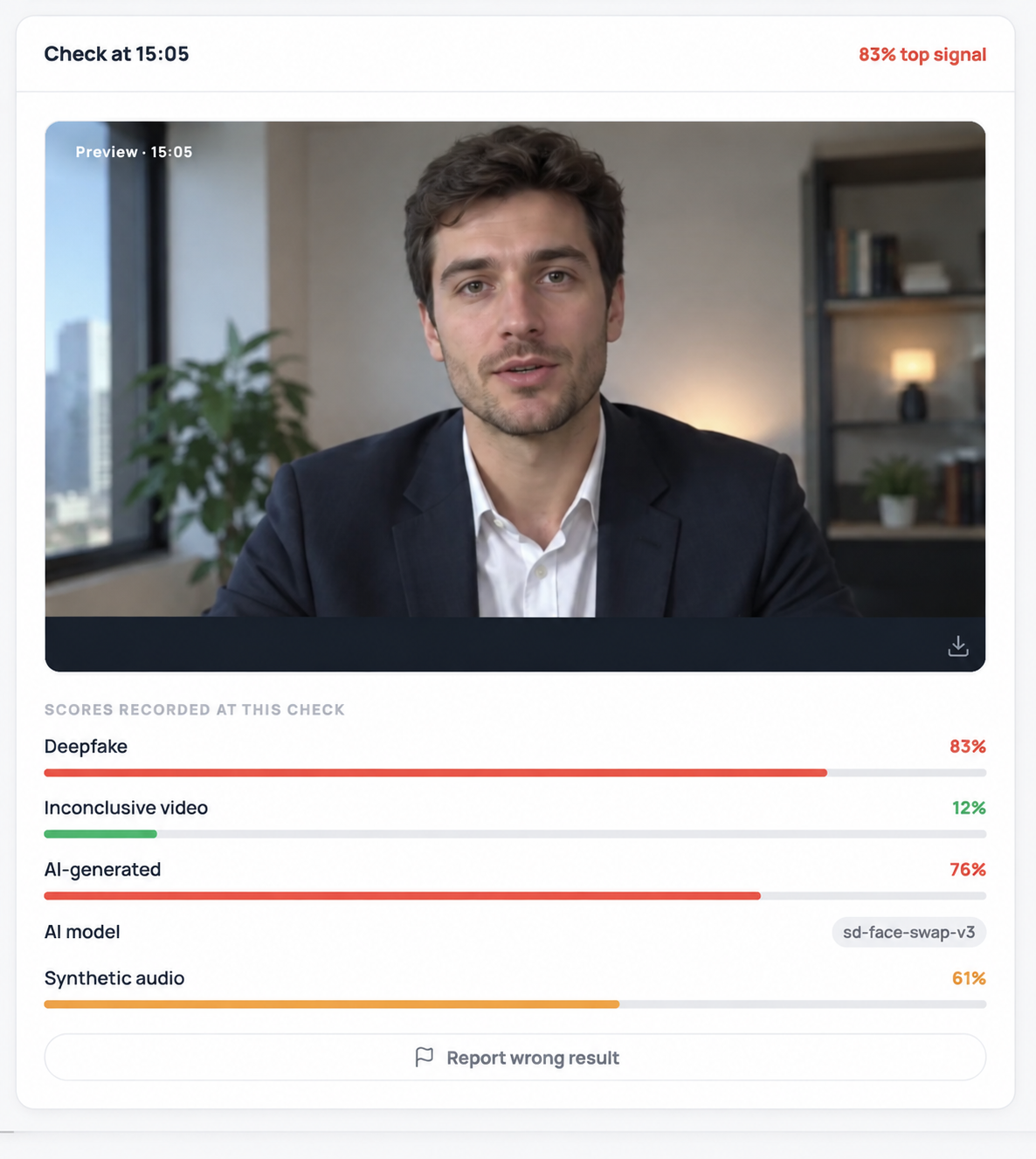
A single flagged check - 83% deepfake, 76% AI-generated, 61% synthetic audio - with the suspected model and a one-click way to flag a bad call.
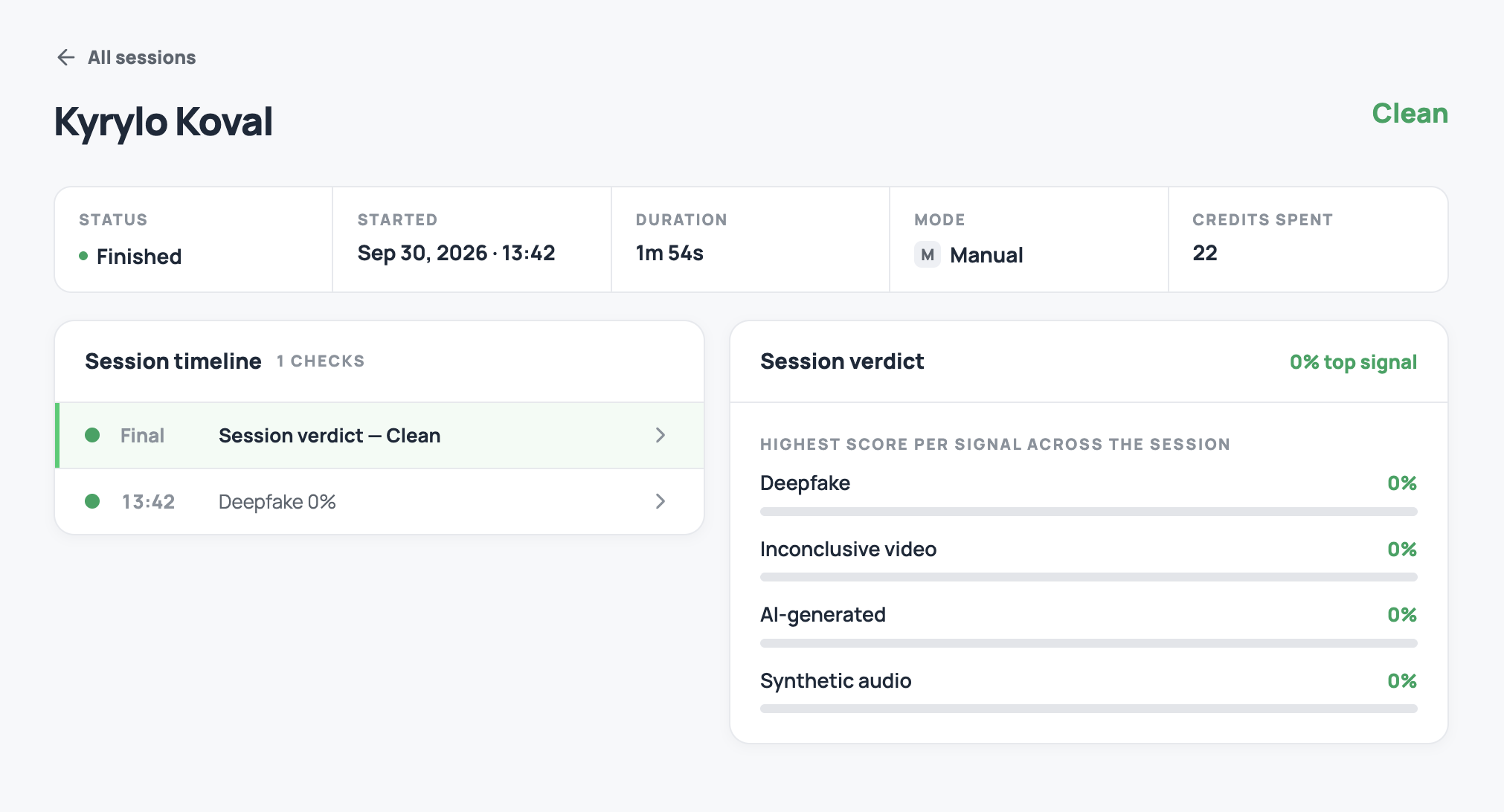
A finished session with a Clean verdict - every signal's highest score across the call came back at 0%.
Even a clean session gets a verdict
When the call wraps, the session page ties everything together: a timeline of every check that ran, the clip behind each one, and a top-line verdict - Clean if nothing ever crossed the warning threshold, flagged if it did - next to the single highest score any signal hit across the whole call.
Status, duration, mode, and credits spent sit right alongside it, so confirming a clean result takes the same one glance as reviewing a flagged one.
How scores map to alerts
Alerts follow the same thresholds behind every score Wardento reports - see how scoring works for what each of the four signals measures and what can push a score up without a deepfake being present.
